How to Play Bongo Cat: A Complete Guide to Mastering the Cute Rhythm Game

Bongo Cat is a simple and entertaining game that turns your keyboard and mouse activity into fun interactions with a cute animated cat. The game is easy to start, but exploring its controls, customization, rewards, and different features can make the experience much more enjoyable.
Whether you want to learn the basic controls, customize your character, or simply use Bongo Cat as a fun companion while working on your computer, this guide explains the main things you need to know.
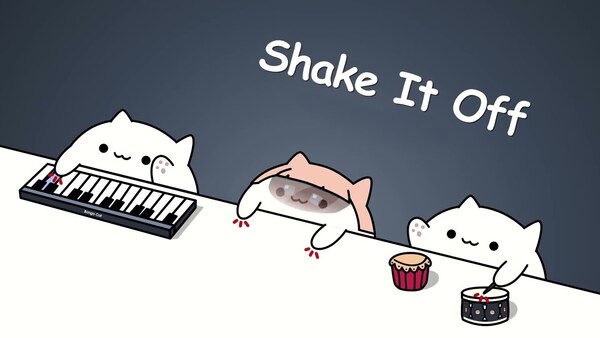
How to Start Bongo Cat for the First Time
Start Bongo Cat and take a moment to explore the main interface. Depending on the version, you may see the animated cat, progress indicators, available rewards, and customization options.
Begin by pressing a few keyboard keys and moving your mouse. Watch how the cat responds to your actions and become familiar with the available menus.
Check the Main Interface
Once you understand the basic interface, you can start experimenting with different interactions.
How to Control Bongo Cat With Your Keyboard
The keyboard is one of the main ways to interact with Bongo Cat. Pressing keys can make the cat move its paws or perform different animations, creating the feeling that the character is reacting to your typing.
Try typing slowly at first, then increase your speed. You can also experiment with different typing patterns to see how the cat responds.
Practice Different Typing Patterns
The goal is not always to type as fast as possible. Bongo Cat is designed to make normal computer activity more entertaining.
How to Use the Mouse and Other Inputs
After learning the keyboard controls, try using your mouse. Depending on the version, clicking or moving the mouse may trigger additional animations or interactions.
Combine Keyboard and Mouse Actions
Try typing while occasionally clicking the mouse. Combining different inputs can create a more varied experience.
Experiment with different controls to discover which interactions you enjoy most.
How to Earn Progress and Rewards Efficiently
Some versions of Bongo Cat include points, coins, achievements, or other progression systems. Your actions may help increase your progress and unlock additional content.
Build a Consistent Routine
Instead of repeatedly performing the same actions, interact with the game naturally while using your computer.
The exact progression system may differ depending on the version you are playing.
How to Unlock and Manage Bongo Cat Customization
Customization is one of the most enjoyable parts of Bongo Cat. Depending on the version, you may be able to unlock accessories, outfits, backgrounds, or visual effects.
Choose a Personal Style
Try different combinations to create a look you enjoy. You can organize your collection into:
If the game supports saved configurations, save your favorite appearance so you can quickly return to it later.
How to Make Bongo Cat More Fun During Daily Computer Use
Bongo Cat does not always require your full attention. You can use it as a companion while performing normal computer activities such as writing, studying, coding, or chatting.
Use Bongo Cat as a Background Companion
However, avoid letting the game distract you from important work. It should add enjoyment rather than reduce your productivity.
How to Improve Your Typing Rhythm With Bongo Cat
Although Bongo Cat is not a dedicated typing tutor, its animations can make typing practice more interesting. Start slowly and focus on accuracy before trying to increase your speed.
Practice Accuracy Before Speed
You can also experiment with different typing rhythms and find the pace that feels most comfortable.
How to Explore Hidden Features and Advanced Interactions
After learning the basics, spend some time exploring the game. Some versions may include achievements, secret interactions, special animations, or additional unlockable content.
Experiment Without Fear
Try different actions and menus to discover new features.
Experimentation is one of the easiest ways to discover what your version of Bongo Cat has to offer.
How to Customize Your Experience for Long Sessions
If you use Bongo Cat for extended periods, choose a setup that is comfortable and not distracting. A simple design may be better for work or study, while a more elaborate setup can be enjoyable during casual play.
Balance Entertainment and Focus
You can choose between two basic approaches:
Relaxed setup: Use your favorite accessories, backgrounds, and animations.
Focus setup: Keep the appearance simple and position the game conveniently while working.
Remember to take regular breaks during long computer sessions to rest your eyes and hands.
How to Become a More Experienced Bongo Cat Player
Becoming experienced at Bongo Cat is less about mastering difficult mechanics and more about discovering how to enjoy its features. Some players focus on collecting items, while others prefer customization or simply watching the cat react to their actions.
Develop Your Own Playstyle
There is no single correct way to play Bongo Cat. Your preferred style can change as you discover more features.
How to Get the Most Enjoyment From Bongo Cat
The main appeal of Bongo Cat is its simplicity. It transforms ordinary keyboard and mouse activity into a playful experience without requiring complicated gameplay mechanics.
Build Your Ideal Bongo Cat Routine
To get the most from the game, explore its features at your own pace. You can interact with the cat actively for a few minutes, then let it accompany you while you work or study.
Conclusion
Bongo Cat is a simple but surprisingly enjoyable game that can make everyday computer activities more entertaining. By learning the basic controls, exploring keyboard and mouse interactions, unlocking customization, and discovering new features, you can create an experience that suits your personal style.
The best way to play is to experiment and enjoy the process. Whether you want to collect items, customize your cat, practice typing, or simply have a cute companion on your screen, Bongo Cat offers an easy and relaxing experience for different types of players.